
Self Storage vs. Garage Storage: Which One Wins?
When storage pressure builds, the first instinct is usually to fill the garage. That can work for a while, especially during moving season, renovation projects, tenant turnover, or the annual winter changeover when outdoor gear, tools, and seasonal decor all need a place to land.
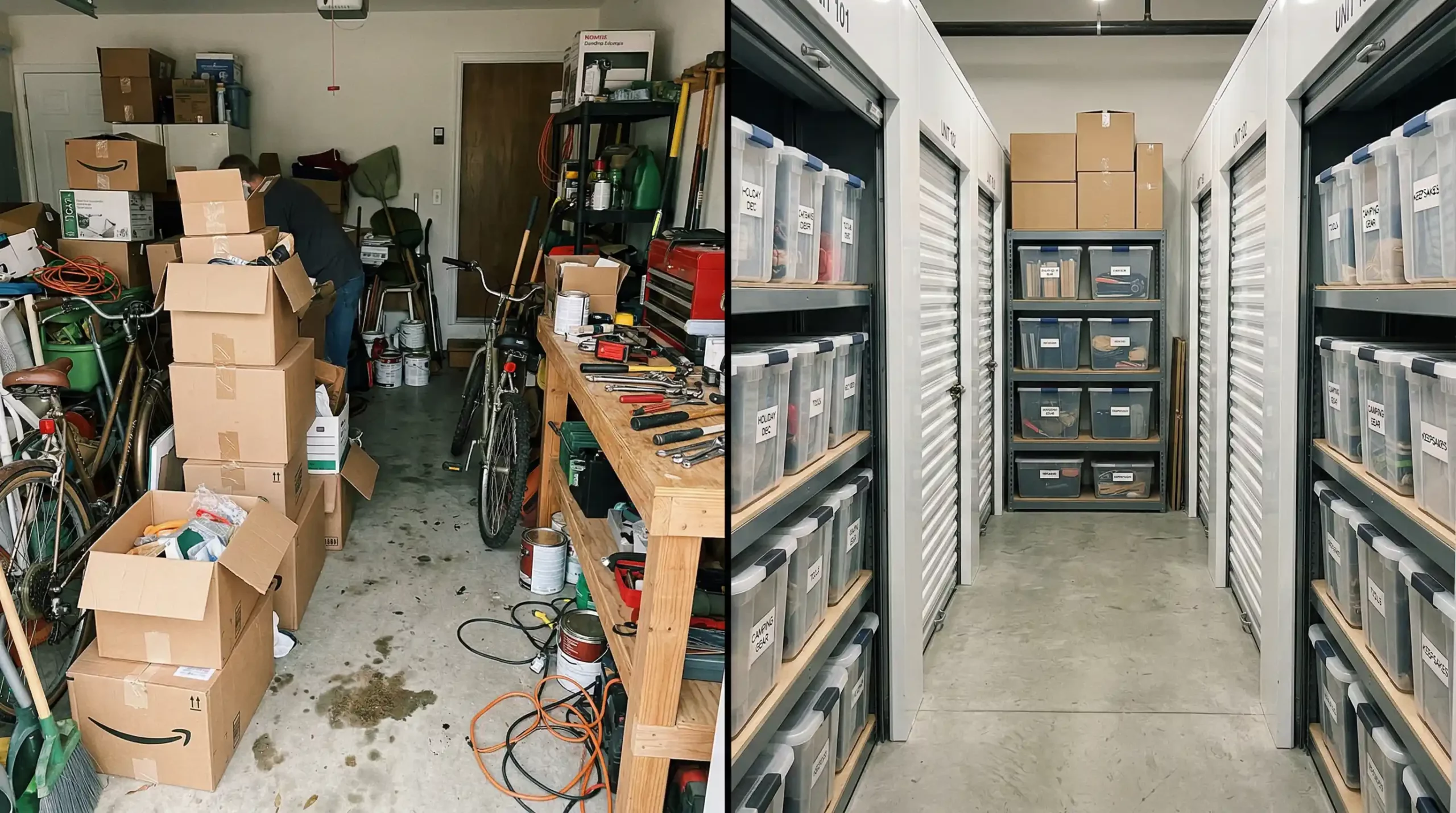
But in year-round residential and commercial properties, garage storage often becomes a stopgap that creates new problems: blocked parking, crushed boxes, moisture exposure, and hard-to-find items.
Self-storage can solve those issues, but only when it matches the way you actually use your belongings.
Why this comparison matters
The right choice depends on what you are storing, how long you need the space, and how often you need access.
Garage storage feels convenient because it is close. The tradeoff is that most garages are not designed for long-term protection or efficient organization. They tend to collect temperature swings, dust, moisture, and clutter. If you are storing patio furniture for a few weeks, that may be fine.
If you are storing furniture, paper files, electronics, business inventory, or anything you care about keeping clean and stable, the garage starts to show its limits.
That is why understanding what self-storage facilities are matters before you decide. A purpose-built storage setup is meant to solve space problems without turning daily life into an obstacle course.
Clear the garage clutter with Apple Mini Storage. Get organized with month-to-month rentals, 24/7 access, and no long-term commitment. Call (920) 734-1478 to reserve your space.
What garage storage does well
Garage storage can work when the items are durable, the timeframe is short, and retrieval needs are frequent.
A garage is usually best for sturdy items that can tolerate changing conditions. Think lawn tools, empty plastic bins, some sports gear, or outdoor furniture that is already built for rougher environments. It also works when you need something every few days and do not want another stop on your route.
Best uses for garage storage
Garage storage makes the most sense when you need fast grab-and-go access. That includes short-term overflow during a home project, quick seasonal swaps, and bulky utility items you do not mind storing in a less controlled space.
Where garage storage starts to fail
Problems show up when the garage becomes long-term storage for items that need protection, order, or space around them. Boxes get stacked too high. Furniture gets squeezed. Paper records absorb damp air.
Electronics, fabrics, and wood finishes can suffer when conditions fluctuate. EPA moisture guidance makes the larger point clearly: moisture control is the key to preventing mold and material damage, and DOE guidance similarly explains that temperature and moisture movement affect how indoor spaces and stored materials perform over time.
That matters even more in older basement homes, mixed-use districts, and properties with heavy seasonal turnover.
When self-storage is the better choice
Self-storage becomes the stronger option when protection, organization, and flexibility matter more than keeping everything at home.
Self-storage usually wins when your space problem is affecting how you live or work. That includes moves, downsizing, renovations, estate transitions, small-business overflow, retail backstock, and long seasonal changeovers in inland commuter corridors and lakeshore communities.
Better protection for sensitive items
If you are storing documents, furniture, electronics, photos, clothing, or business materials, a garage is often the riskier choice. A purpose-built unit gives you a cleaner, more controlled environment, and temperature-controlled storage is the better fit for items that react badly to heat, cold, or humidity.
Better organization and retrieval
A good storage unit lets you build an actual system instead of stacking around your car. Use an inventory list, consistent labels, and a simple aisle so items stay retrievable. A practical storage unit size guide also helps you avoid paying for too much space or overpacking too little space.
Better separation between the living space and the storage space
One of the biggest advantages is not technical. It is functional. Moving overflow out of your garage gives you back parking, safer walkways, less dust indoors, and less day-to-day frustration. That matters during high-motion periods like summer event runs, business stock surges, and winter gear rotation.
How to choose between self-storage and garage storage
Use the decision points below to match the storage setup to the real problem, not just the nearest empty corner.
Choose garage storage when you need very frequent access, the items are durable, and the storage need is short-term. Choose self-storage when you need more room, better protection, cleaner organization, or a setup that does not disrupt your home or business.
Ask yourself:
- Are the items moisture-sensitive, valuable, or hard to replace?
- Do you need drive-up loading and unloading?
- Will you need the space for more than a few weeks?
- Do you want your garage back for parking, work space, or safer movement?
- Do you need business storage, seasonal overflow, or room for vehicles, trailers, or equipment?
A solid storage plan should also include packing choices, item elevation off the floor, clear labels, photo records, and a simple access plan. Before moving in, it helps to review common storage unit mistakes and set up a routine for long-term storage checks.
Warning signs your storage setup is off track
Small signs of disorder usually point to bigger access or protection problems later.
Your garage is no longer functioning as a garage
If parking is gone, walking paths are tight, and you are shifting piles just to reach everyday items, the setup is costing you convenience instead of saving it.
You are storing the wrong materials in the wrong environment
If boxes smell musty, wood feels damp, paper curls, or fabric picks up dust and odor, the environment is working against you.
You cannot find what you need when you need it
Lost inventory, duplicate purchases, and repeated unpacking are signs that the system is not supporting your routine.
You are treating a temporary fix like a permanent solution
A short-term pile-up can turn into a year-long clutter problem. That is usually the moment when off-site storage starts making more sense.
What “better” really looks like
The best option is the one that protects your items, supports your schedule, and reduces friction.
For some households, that will still be the garage. For many others, especially during moves, renovations, downsizing, or business overflow, self-storage is the better choice because it creates separation, control, and predictability. Better storage means your items are packed clean and dry, labeled, inventoried, easy to retrieve, and stored in the right environment for their condition and value.
It also means access is realistic, loading is manageable, and the space is not creating a second problem at home.
Choose storage that fits your life and work. Enjoy month-to-month leasing, 24/7 access, drive-up convenience, and easy online tools. Reserve a Space or call (920) 734-1478 today.
Frequently Asked Questions
1. Is garage storage cheaper than self-storage?
2. What items are usually better off in self-storage than in a garage?
3. When is garage storage still a good option?
4. Is temperature-controlled storage worth it?
5. How do you know when your garage has become a bad storage solution?
6. Is self-storage only for moving?
7. What access features matter most when comparing options?
8. How should you pack items if you move them out of the garage?
9. What should you look for in a self-storage provider?
10. What security expectations are reasonable?
11. Can self-storage help small businesses as much as households?
12. What is the simplest way to decide between the two?


Seasonal Storage Ideas That Actually Free Up Living Space
Seasonal clutter rarely shows up all at once. It builds in layers. Winter gear lingers in the mudroom after the weather changes. Patio cushions stay stacked in a corner too long. Holiday bins crowd closets. Business backstock, tools, and documents drift into spare rooms and the edges of the garage. In a four-season region with inland commuter corridors, older basement homes, mixed-use districts, and seasonal visitor traffic, that overflow can make daily life feel tighter than it should.
A smarter storage routine is not just about putting things away. It is about protecting what you own from moisture, dust, abrasion, and avoidable breakage while making your home easier to use every day. These seasonal storage ideas can help you keep your home clutter-free without turning your basement, garage, or guest room into a long-term holding zone.
Start With a Seasonal Reset, Not a Quick Cleanup
Create a repeatable process before you buy bins or move boxes.
The fastest way to lose control of clutter is to store without sorting. Before you pack anything, separate items into four groups: keep this season, store for later, donate, and discard. That simple reset prevents you from paying attention to things you no longer use and keeps damaged or duplicate items from cycling back into your home year after year.
Sort by season and by risk
Group items by both when you use them and how sensitive they are. Snow gear, summer recreation equipment, patio accessories, holiday decor, tax records, and retail overflow should not all be packed the same way. Soft goods, paper files, wood furniture, and electronics need more protection from moisture and temperature swings than durable yard tools or plastic bins.
Decide what deserves prime access
Some items are truly off-season. Others come in and out regularly. If you reach for something every few weeks, store it where retrieval is easy. For items you access often during moves, renovations, or inventory turnover, drive-up storage can reduce loading friction and save time.
Pack for Protection, Not Just for Space
The goal is cleaner access and safer storage, not tighter stacking.
Packing mistakes create many of the problems people blame on storage itself. Musty odors, warped finishes, crushed decor, rust, and lost paperwork often begin with poor prep.
Use the right containers
Choose sturdy, stackable bins for most household items. Clear labeling matters just as much as container quality. Label by category and season, not just by room. “Fall porch decor” or “summer lake gear” is far more useful than “miscellaneous.”
For clothing, bedding, and linens, wash and fully dry everything first. For documents and photos, use sealed containers and avoid overfilling. For breakables, wrap pieces individually and leave enough cushioning to reduce abrasion.
Protect sensitive belongings from moisture and temperature swings
Wood, leather, electronics, photographs, paper files, and upholstered furniture can all suffer when conditions change too much. That is one reason many households and businesses use temperature-controlled storage for items that need a more stable environment.
If you are storing during a seasonal reset, it also helps to understand how temperature-controlled storage protects furniture and electronics so you can match the unit type to the item, rather than guessing.
Need a safer place for seasonal furniture, files, or overflow gear? Call (920) 734-1478 to ask about month-to-month storage, 24/7 access, drive-up units, and temperature-controlled space.
Rotate Items by Use Frequency
Store with your next season in mind, not your current frustration.
The best seasonal storage systems are designed around retrieval. When you pack by urgency and use a pattern, your home stays functional instead of becoming a puzzle of stacked containers.
Keep high-turn items near the front
Place items you will need first in the most accessible position. That includes early-season jackets, sports gear, holiday lighting, inventory signage, or maintenance supplies for property turnovers. Keep heavy bins low, fragile bins higher, and leave a narrow access path if you are using a storage unit for mixed categories.
Build zones for home, work, and vehicles
Many households blur categories and end up with avoidable clutter. Keep personal decor separate from tools. Keep retail backstock separate from household keepsakes. Keep boating, trailer, RV, or vehicle accessories together so off-season parking changes do not trigger a full unit reshuffle.
If you manage rotating equipment or records for work, business, and commercial storage solutions can help create a cleaner separation between business operations and household space.
Match Storage Ideas to the Season
Different times of year create different kinds of overflow.
Spring and summer
This is when moving waves, renovations, household cleanouts, contractor staging, and visitor hosting often collide. Store off-season winter gear, salt buckets, heavy bedding, and cold-weather tools. Make room for bikes, patio items, gardening equipment, event supplies, and summer inventory.
Fall
Fall is the season to rotate out warm-weather furniture, recreation gear, and exterior accessories before they begin absorbing moisture or occupying useful interior space. It is also a smart time to reorganize files, decor, and utility shelves before the holiday cycle starts.
Winter
Winter clutter often comes from bulk. Boots, layered clothing, snow equipment, and indoor overflow consume entryways and garages quickly. This is also when off-season parking needs can affect trailers, boats, RVs, and extra vehicles. If that is part of your routine, outdoor parking storage for seasonal vehicles can be part of a broader clutter-reduction strategy.
Maintain What You Store So It Stays Useful
Seasonal storage works best when it stays organized between swaps.
A clutter-free home is easier to maintain when your stored items are still clean, labeled, and reachable months later. That means checking conditions occasionally, updating labels, and removing anything that no longer earns space.
Schedule a quick review each season
At each seasonal change, inspect bins, update your inventory list, and remove anything broken, expired, or no longer relevant. This is especially important for long-term packed items, archived files, and seasonal decor that tends to multiply over time.
Avoid the “set it and forget it” trap
Storage should reduce friction, not hide disorder. A simple maintenance plan helps you keep access easy and prevent damage from poor packing or neglected organization. A useful reference is how to check on and maintain long-term storage, especially if your off-season items tend to stay packed for months at a time.
Seasonal storage works when it gives you back usable square footage, lowers the risk of damage, and makes transitions easier. The goal is not to own less overnight. The goal is to store smarter, rotate earlier, and keep the things you need in better condition for the moment you need them again.
Frequently Asked Questions
1. What are the best items to put into seasonal storage?
2. How do you keep seasonal storage from becoming a second clutter pile?
3. Should you use cardboard boxes or plastic bins?
4. When does temperature-controlled storage make the most sense?
5. How often should you rotate seasonal items?
6. What makes drive-up access useful for seasonal storage?
7. Can seasonal storage help business owners too?
8. Is month-to-month storage better for seasonal needs?
9. What online features are helpful when using seasonal storage?
10. Can you access stored items outside normal business hours?
11. Is vehicle or trailer storage part of seasonal decluttering?
12. What fees or terms should you check before renting seasonal storage?
How to Pack Like a Pro in a Self-Storage Unit
If you live or work in a four-season region, storage pressure rarely arrives all at once. It builds in waves: spring moves, summer renovations, retail backstock, tenant turnover, contractor overflow, off-season patio gear, and the annual shuffle of boats, trailers, tools, and outdoor equipment.
That is why packing a self-storage unit like a pro is not just about fitting more inside. It is about protecting what you store, keeping it retrievable, and reducing damage when life gets busy.
A well-packed unit helps you avoid the most common storage headaches: moisture exposure, dust buildup, crushed boxes, scratched furniture, warped wood, corroded metal, and the frustration of digging through a wall of unlabeled containers.
Whether you are a homeowner between projects, a renter making space, a business owner storing inventory, or a property manager handling turnover, the right packing system makes your unit work harder for you.
Start With a Packing Plan for Your Self-Storage Unit
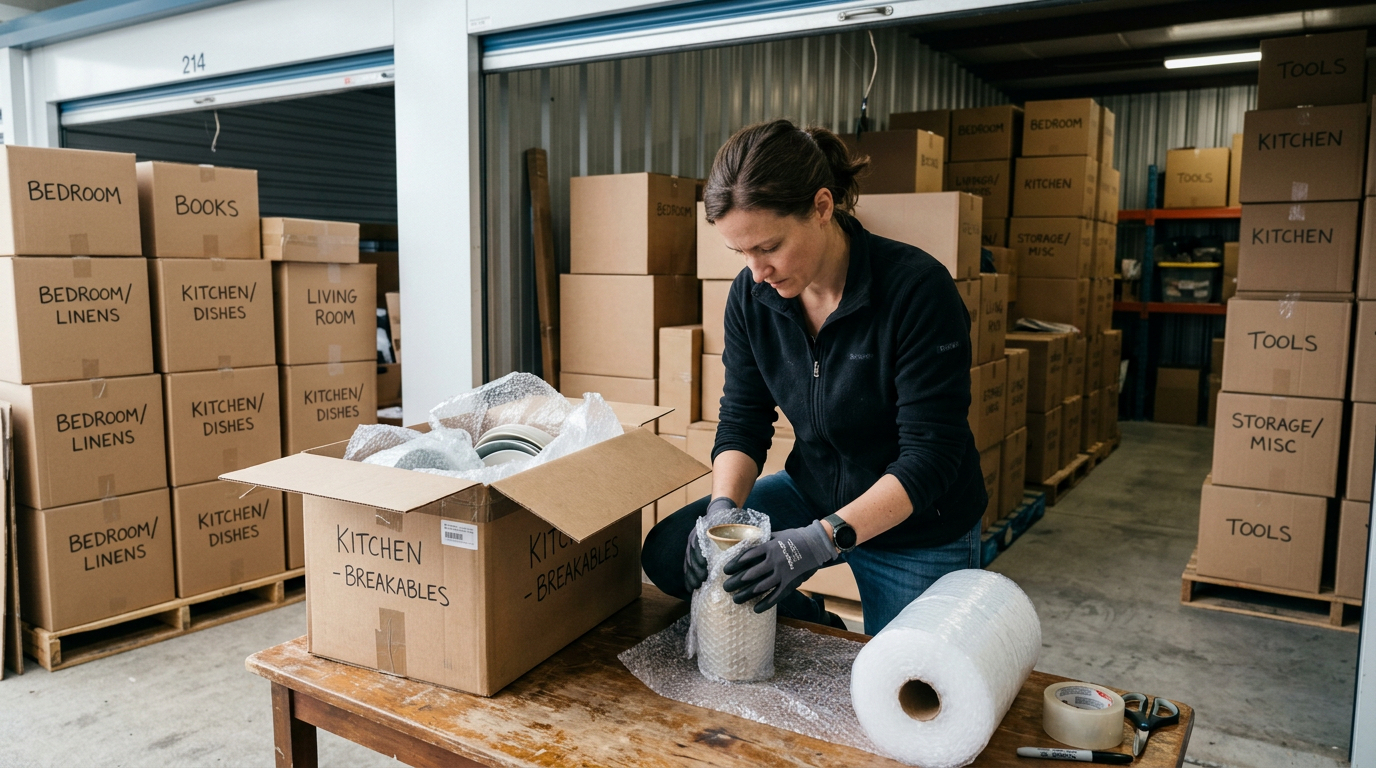
Professional packing starts with sorting items by category, weight, fragility, and how often you will need them. That gives you a loading order and a layout instead of a last-minute stack job.
Build zones before you load
Create three simple zones: front for frequently used items, middle for medium-priority storage, and back for long-term items. This layout works especially well when you use drive-up storage because your loading pattern directly affects how quickly you can get in and out later.
Make an inventory as you pack
Number your boxes, list their contents, and note where they will sit in the unit. For business users, that step can reduce misplaced files, broken products, and costly retrieval delays. For households, it prevents the classic “I know it is in here somewhere” problem.
Keeping a master list is one of the simplest ways to improve storage access and long-term organization, and it pairs well with the practical guidance in this article on how to pack a storage unit efficiently.
Use Packing Materials That Protect, Not Just Contain
Do not treat every item the same. Boxes, bins, wraps, and covers each serve different jobs, and poor material choices can create damage even in a clean storage environment.
Choose sturdy containers with a purpose
Use strong, same-size boxes whenever possible so stacks stay stable. Plastic bins can be useful for items you need to identify quickly, but paper goods, photos, and some fabrics often do better in breathable, well-packed containers rather than being sealed with trapped moisture.
For family papers and photographs, the National Archives advises cool, dry conditions and appropriate storage materials.
Wrap surfaces to prevent dust and abrasion
Use moving blankets, furniture pads, packing paper, and edge protection for wood, glass, and finished surfaces. Dust and friction can slowly dull finishes during moves, renovations, and long stays in storage.
Mattresses and upholstered pieces should be covered, but avoid wrapping belongings so tightly that moisture gets trapped around them for long periods.
Keep moisture out before it starts
Only store items that are fully dry and clean. Moisture is the main driver behind musty odors, staining, corrosion, and mold risk. The EPA notes that moisture control is the key to mold control, which is why damp textiles, recently cleaned rugs, and wet equipment should never go straight into a unit.
If you are packing paper records, electronics, wood furniture, or other items affected by temperature swings, temperature-controlled storage can make more sense than standard space.
To talk through a safer packing setup for furniture, documents, inventory, or seasonal gear, call (920) 734-1478.
You can also review unit options, including Apple Mini Storage, if you need a unit that matches how often you plan to access your belongings.
Load the Unit for Stability and Access
Packing like a pro means thinking in three dimensions. You want vertical efficiency without creating unstable towers or blocking your own access.
Put heavy and solid items on the bottom
Appliances, dense boxes, and sturdy furniture go low. Lighter boxes, lampshades, linens, and fragile containers go high. Never let heavy boxes rest on items that can bend, bow, or crush. Keep the weight distributed so stacks stay straight and safe.
Leave an aisle, even in a small unit
A narrow center or side walkway can save you from unloading half the unit every time you need one item. That matters for households storing seasonal overflow, contractors retrieving tools, and business users cycling through inventory. This same principle shows up in practical upkeep advice from this storage space maintenance checklist.
Use vertical space carefully
Shelving, stackable containers, and consistent box sizes help you go upward without creating dead space. Keep the tallest and least-used items toward the back. If you are storing long-handled tools, signs, or flat-packed fixtures, create a dedicated upright corner so they do not slide across the floor or damage nearby items.
Match Your Packing Method to What You Store
Different storage uses call for different packing decisions.
A household cleanout does not pack the same way as retail overflow or a property turn. The best setup reflects what you are actually storing.
Households and renters
Group by room, then by urgency. Keep kitchen overflow, seasonal décor, kids’ gear, and backup furniture in separate zones. If you are storing through a longer transition, the advice in tips for your first storage unit is especially useful for planning access and avoiding overpacking.
Business owners and contractors
Pack inventory by SKU, season, or project. Label from multiple sides. Keep shipping materials, tools, records, and display items separated so that everyday retrieval does not disturb everything else. This is where business and commercial storage can support document storage, equipment overflow, and rotating backstock.
Vehicles, outdoor gear, and seasonal equipment
Do not pile loose accessories around larger equipment. Store removable parts, covers, batteries, hoses, and small tools in clearly labeled bins. For off-season gear, pack for the next use, not the last use. Clean it first, bundle related items together, and keep the gear you will need first near the front.
Prevent the Small Mistakes That Cause Big Damage
Packing problems usually start with shortcuts. A few disciplined habits will protect your belongings and your time.
Do not pack damp, dirty, or perishable items
These create odor, staining, pest attraction, and unnecessary risk. Clean and dry everything first, especially fabrics, outdoor gear, and appliances.
Do not overfill boxes
Overpacked boxes split, bow, and become hard to stack. Underpacked boxes collapse. Aim for full but stable containers with cushioning where needed.
Do not forget periodic check-ins
Longer storage works better when you inspect the unit, update your inventory, and rotate out what you no longer need. A unit that stays organized is easier to maintain and safer to use over time.
Final Thought
Packing a self-storage unit like a pro is really about building a system. When you choose the right materials, control moisture, label clearly, stack safely, and leave access paths, your unit becomes more than overflow space. It becomes a reliable extension of your home, business, or property operations.
Frequently Asked Questions
1. What is the best way to start packing a self-storage unit?
2. Should you leave space inside a storage unit?
3. Are plastic bins better than cardboard boxes for storage?
4. How do you protect furniture from damage in storage?
5. When should you use temperature-controlled storage?
6. Is drive-up access useful for packing and retrieval?
7. Can you rent a unit without a long-term commitment?
8. Are there move-in or administration fees?
9. What kinds of items are commonly stored for business use?
10. How often should you check on a storage unit?
11. Is online account management available?
12. What phone number should you use for storage questions?
The Smart Way to Use Self Storage During a House Move
Moving house rarely happens in one clean, simple step. In a four-season region with busy commuter corridors, older homes, multi-tenant properties, and seasonal visitor districts, your move can overlap with renovation work, lease turnover, downsizing, family staging, or seasonal equipment rotation.
That is exactly where self-storage becomes useful. It gives you breathing room, reduces traffic inside the home, and helps protect your belongings from dust, moisture exposure, and avoidable handling damage. Thoughtful storage use also helps if you need space for contractor tools, retail backstock, business records, or outdoor gear that does not need to move on day one.
Why self-storage works so well during a move
The biggest benefit is not just extra space. It provides better control over timing, access, and protection.
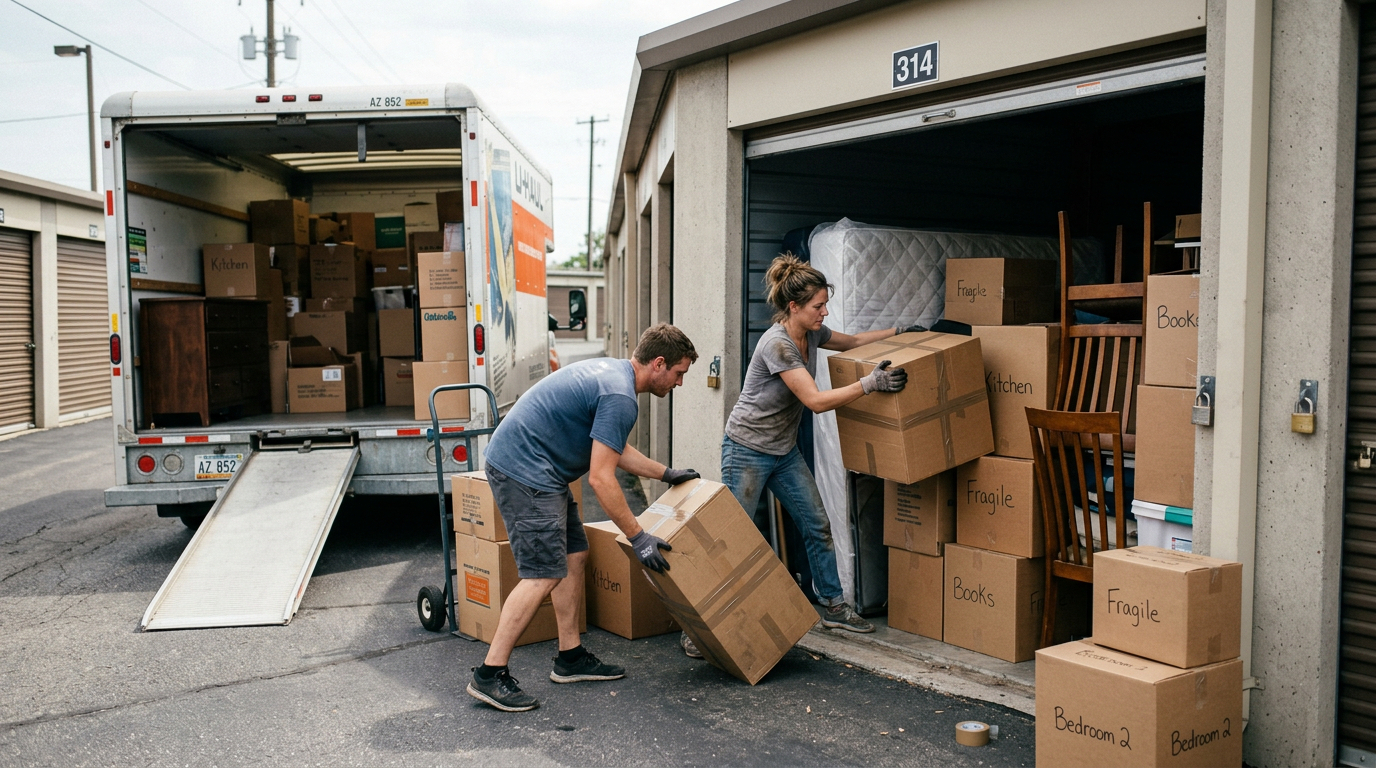
When you move items into storage before moving day, you reduce crowding in hallways, entry points, and trucks. That lowers the odds of scratches, broken corners, crushed boxes, and lost small items. A storage unit also helps you separate categories clearly: what moves first, what stays accessible, and what can wait until the new place is ready.
That is especially helpful if your move includes repainting, flooring, repairs, cleaning, staging, or delayed possession dates. For a broad overview of how off-site space supports life transitions, see what self-storage facilities are and the major home transitions.
Use storage to break the move into phases
A practical move usually has three stages: pre-move decluttering, active moving, and post-move settling. Storage helps in all three. Before the move, you can pull out non-essentials such as off-season clothing, holiday décor, archived files, extra furniture, and hobby gear. During the move, you can keep pathways clear and reduce the pressure to unpack everything immediately. After the move, you can sort the rooms by room instead of living among towers of boxes.
Protect your home and belongings at the same time
Storage is often less about “where do I put this” and more about “how do I keep this from getting damaged.” Dust, abrasion, humidity swings, and repeated handling can be harder on furniture and boxed items than people expect.
That is one reason many movers rely on temperature-controlled storage for documents, electronics, wood furniture, artwork, and other sensitive items. For heavy household goods or repeated trips, drive-up storage can simplify loading and unloading.
How to decide what belongs in storage
Store what creates friction, clutter, or damage risk. Keep daily essentials with you.
The best candidates for storage are items that you do not need every day but still need to keep safe. Think extra dining chairs, boxed décor, spare linens, framed art, bikes, yard tools, archived paperwork, overflow inventory, and furniture that would otherwise get bumped during packing. Business owners and property managers can also use storage for signs, supplies, maintenance tools, and temporary backstock during turnover or renovation cycles.
Packing a storage unit efficiently becomes much easier when you start with a written inventory and group items by use, room, or destination.
Keep these items with you instead
Carry essentials separately. That includes medications, chargers, keys, personal documents, daily clothing, pet supplies, and anything you will need in the first 48 hours. It also helps to keep digital and paper copies of important records protected and easy to reach. Safeguarding critical documents and valuables is a useful reference when you decide what should travel with you rather than go into a unit.
Be selective with moisture-sensitive items
If something can warp, corrode, mildew, or absorb odors, pack it carefully and think about storage conditions before loading it. Dry everything fully. Use clean boxes or bins. Add covers that breathe. Avoid trapping dampness around furniture or textiles. The EPA’s guidance on mold, moisture, and your home is a good reminder that moisture control starts before you store anything.
If you are unsure whether a standard unit or a controlled environment is better, review moving or renovating safely, and tips for your first storage unit.
If your move includes furniture, documents, inventory, outdoor gear, or even a vehicle or trailer that cannot stay at the property,
Call (920) 734-1478
How to pack a unit so moving day gets easier
Good packing is what turns storage from a pile of boxes into a working system.
Start with the heaviest, least-used items at the back. Keep a center aisle so you can reach what matters later. Use uniform boxes when possible, label more than one side, and avoid overfilling. Place fragile items high enough to stay protected but not so high that they become unstable. site Leave soft goods and padding around furniture edges. The goal is stable stacking, faster retrieval, and less re-handling.
Pack for airflow and visibility
Do not push everything wall to wall. A little breathing room can help with access and routine checks. Pallets or shelving can also help lift items off the floor and keep categories separated. Clear bins are useful for frequently accessed items, while a master inventory reduces guesswork later.
Match the unit to the job
Not every move needs the same kind of storage. A standard unit may work for boxed household goods, tools, or equipment. A temperature-controlled unit is a better fit for electronics, important papers, antiques, artwork, musical instruments, and wood furniture. If you expect frequent retrieval or you are storing bulky pieces, drive-up access can save time and strain.
If the property cannot hold an extra vehicle, trailer, boat, or RV during the move, dedicated parking storage can also solve a practical space problem.
What homeowners, renters, businesses, and property managers should plan for
Moving needs change depending on the kind of property and the kind of disruption you are managing.
Homeowners often need room for furniture, seasonal décor, garage overflow, and renovation staging. Renters may need short-term flexibility while lease dates overlap or building access changes. Business owners may need room for files, supplies, retail displays, and temporary stock. Property managers often need off-site space during tenant turnover, repairs, cleaning, or common-area projects. In each case, the same principle applies: move out the items that slow the job down or create avoidable risk.
Do not forget seasonal overflow
In regions with warm-weather recreation and cold-weather storage cycles, moves often overlap with patio furniture, sports gear, yard tools, trailers, and visitor-related overflow. Keeping those categories out of the main move stream can make the rest of the relocation more orderly. That is also true for households opening or closing seasonal living patterns, and for commercial spaces adjusting inventory with the time of year.
A simple moving-with-storage checklist
Use this as your baseline plan before the first box gets taped.
What to do immediately
Choose what will go into storage first. Make a room-by-room inventory. Separate daily essentials from delayed-use items. Reserve the right kind of unit early enough to avoid last-minute compromises. Confirm access needs if you expect repeated visits.
What not to do
Do not pack damp items. Do not bury essentials. Do not overfill boxes. Do not treat a storage unit like a junk drawer. And do not assume every item belongs in a standard unit without considering temperature, humidity, or handling needs first.
Frequently Asked Questions
1. When should you rent a storage unit before moving?
2. Is self-storage useful if your move dates do not line up exactly?
3. What type of unit is best for furniture during a move?
4. Why is drive-up storage helpful when moving houses?
5. Can you use storage for business items during a house move?
6. What should stay with you instead of going into storage?
7. How can you reduce moisture and odor problems in storage?
8. Is 24/7 access helpful during a move?
9. Can you store a vehicle, trailer, boat, or RV during a move?
10. What facility details are verified for planning purposes?
How Self Storage Simplifies Life During Major Home Transitions
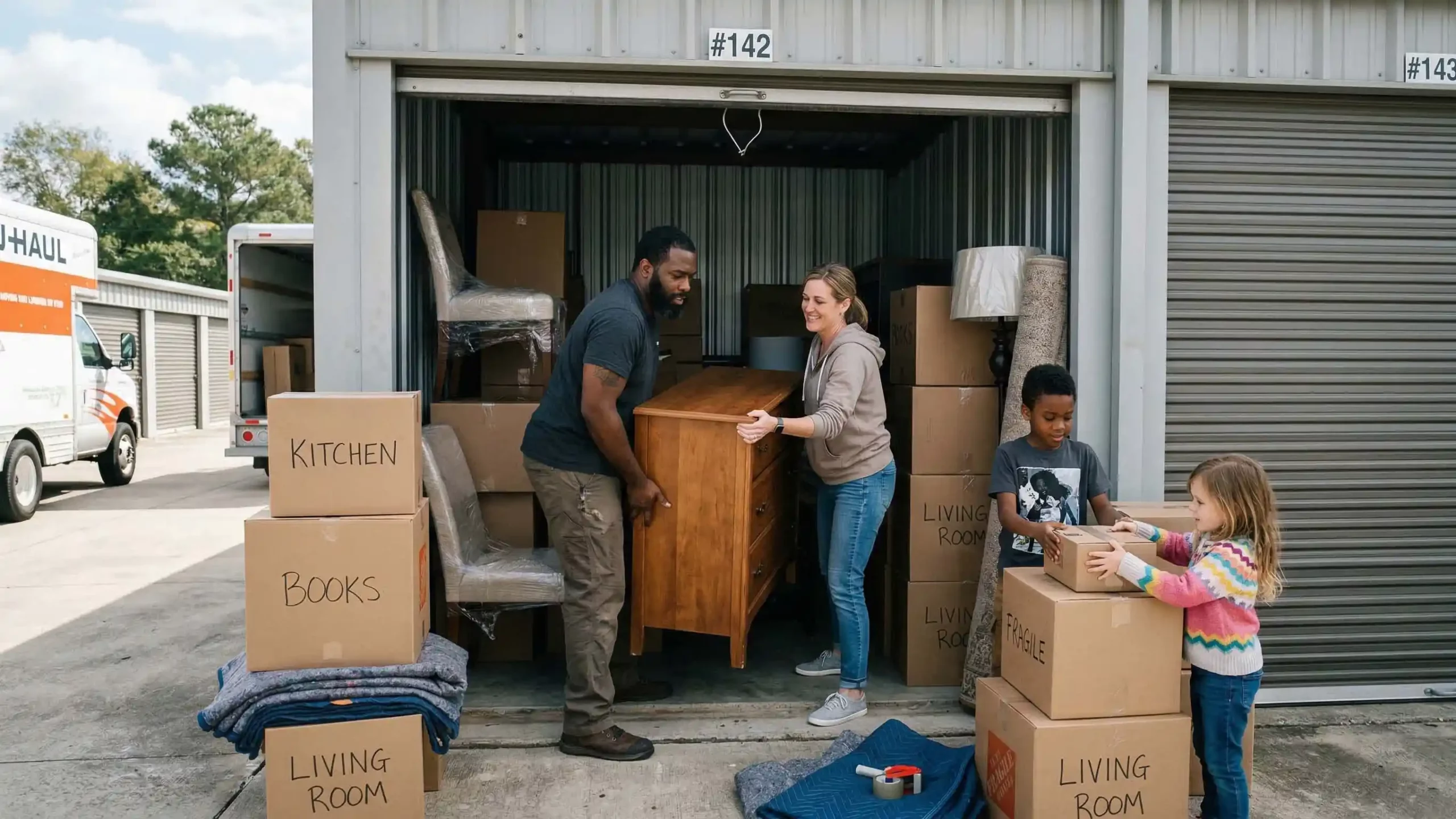
Major home transitions are often exciting but they can also be overwhelming. Whether you’re moving to a new house, downsizing, renovating, navigating a divorce, or managing a loved one’s estate, life can quickly feel cluttered and chaotic. During these times, self storage becomes more than just extra space, it becomes a practical solution that restores order, reduces stress, and gives you room to breathe.
Here’s how self storage can simplify life during some of the most significant home transitions.
1. Moving to a New Home
Moving is one of the most stressful life events. Between packing, coordinating movers, signing paperwork, and cleaning, the process can feel nonstop. One of the biggest challenges is timing when your move-out and move-in dates don’t align perfectly.
Self storage offers flexibility during this gap. Instead of rushing to fit everything into your new space or cluttering a temporary living arrangement, you can safely store belongings until you’re ready.
Benefits during a move include:
- Staging your current home without excess furniture
- Moving items in phases rather than all at once
- Storing seasonal or non-essential items temporarily
- Reducing clutter to make unpacking easier
By placing non-urgent items in storage, you can focus on settling into your new home in a calm, organized way.
2. Downsizing Without the Pressure
Downsizing whether for retirement, financial reasons, or a lifestyle change can be emotionally and physically challenging. Letting go of belongings accumulated over decades is rarely easy.
Self storage provides a buffer. Instead of making rushed decisions about sentimental items or furniture that may not immediately fit your new space, you can store them safely while you adjust.
This approach:
- Prevents regret from hasty decisions
- Gives time to sort, donate, or pass down items
- Allows gradual transitions into smaller living spaces
- Preserves family heirlooms until permanent decisions are made
Downsizing doesn’t have to mean discarding meaningful possessions overnight. Storage allows you to transition thoughtfully and at your own pace.
3. Simplifying Home Renovations
Home renovations are exciting but they create dust, noise, and disruption. Furniture, décor, and personal belongings are at risk of damage during construction.
Placing items in self storage during renovations helps:
- Protect valuables from dust and debris
- Prevent accidental damage
- Create clear workspaces for contractors
- Reduce stress and daily clutter
Instead of squeezing furniture into other rooms or covering everything in plastic, you can temporarily relocate items to a secure storage unit. This keeps your home functional and makes the renovation process smoother and more efficient.
4. Navigating Life Changes
Major life events such as divorce, job relocation, or blending families often require sudden adjustments. In these moments, flexibility is key.
Self storage provides:
- A neutral space to store shared belongings
- A solution during temporary housing
- Flexibility while waiting for legal or logistical matters to resolve
- Room to reorganize your life without feeling overwhelmed
Having secure off-site storage gives you control during uncertain times. It reduces pressure and provides breathing room while decisions are made.
5. Managing an Estate or Family Property
Handling a loved one’s estate can be both emotionally and logistically complex. Sorting through personal belongings often takes more time than expected.
Self storage offers a respectful and practical solution by:
- Providing a secure space for inherited items
- Allowing family members time to sort and divide belongings
- Preventing rushed decisions under emotional stress
- Keeping items safe during property sales
Instead of feeling pressured to clear out a home quickly, families can take the time they need to thoughtfully manage possessions.
6. Creating Space for a Fresh Start
Transitions are often opportunities for reinvention. However, physical clutter can make it difficult to feel mentally clear.
Using self storage allows you to:
- Declutter without permanently discarding items
- Redesign your space with intention
- Create room for new furniture or décor
- Focus on what truly belongs in your next chapter
When your home feels organized and purposeful, your mindset follows.
Choosing the Right Storage Partner
Not all storage facilities are created equal. During major transitions, security, accessibility, and customer service matter more than ever.
Apple Mini Storage stands out as a leading self storage provider known for reliability, clean facilities, and customer-focused service. With secure units, flexible rental options, and convenient access, Apple Mini Storage helps individuals and families navigate life’s biggest changes with confidence.
Their commitment to safety and convenience ensures your belongings are protected while you focus on what matters most settling into your new stage of life.
The Emotional Benefits of Storage
While self storage is often viewed as a practical tool, its emotional impact shouldn’t be underestimated.
Transitions can feel chaotic because they disrupt routine and stability. Having a secure, organized place for your belongings restores a sense of control. It reduces visual clutter, prevents rushed decisions, and gives you time to think clearly.
When your physical environment feels manageable, your mental load lightens as well.
Final Thoughts
Major home transitions are rarely simple but they don’t have to be overwhelming. Self storage acts as a bridge between chapters, providing flexibility, protection, and peace of mind.
Whether you’re moving, downsizing, renovating, or navigating life’s unexpected changes, having a secure place for your belongings makes the process smoother and more manageable. With trusted providers like Apple Mini Storage, you can confidently simplify your transition and focus on building what comes next.
Because sometimes, the easiest way to move forward is to give yourself a little extra space.
FAQ
1. How can self storage help during a move?
Self storage provides flexibility when moving timelines don’t perfectly align. It allows you to store belongings temporarily, stage your home for sale, move in phases, and reduce clutter while settling into your new space.
2. Is self storage useful when downsizing?
Yes. Self storage gives you extra time to decide what to keep, donate, or pass on. Instead of making rushed decisions, you can store sentimental or excess items safely while adjusting to a smaller home.
3. Can I use a storage unit during home renovations?
Absolutely. Storing furniture and valuables during renovations protects them from dust, debris, and accidental damage. It also creates more workspace for contractors, making the renovation process smoother and more efficient.
4. How long can I rent a self storage unit?
Most storage facilities offer flexible rental options, including month-to-month leases. This flexibility is ideal during life transitions when timelines may change unexpectedly.
5. Are storage units secure?
Reputable providers like Apple Mini Storage offer secure facilities with features such as surveillance systems, controlled access, and well-maintained units to help protect your belongings.
6. What items can I store during a major home transition?
You can store furniture, appliances, seasonal décor, clothing, documents, and personal belongings. However, hazardous materials, perishables, and illegal items are typically prohibited.
7. How do I choose the right storage unit size?
The size you need depends on how many items you plan to store. A small unit may fit boxes and small furniture, while larger units can accommodate the contents of an entire home. Storage providers can help you select the right size for your needs.
8. Is climate-controlled storage necessary?
Climate-controlled units are recommended for items sensitive to temperature and humidity changes, such as electronics, wooden furniture, artwork, photographs, and important documents.
9. Can self storage help during unexpected life changes?
Yes. During events like job relocations, divorce, or managing a loved one’s estate, self storage provides a secure and flexible solution while you make important decisions and organize next steps.
10. Why choose Apple Mini Storage?
Apple Mini Storage is a leading self storage provider known for secure facilities, flexible rental terms, and customer-focused service. Their clean, well-maintained units and convenient access make them a reliable choice during major home transitions.

How Month-to-Month Storage Rentals Provide Maximum Flexibility
Month-to-month storage rentals have quietly become one of the most practical “life management” tools around. Whether you’re moving, renovating, downsizing, growing a business, or just trying to reclaim space at home, the biggest advantage is simple: you’re not locked into a long contract. You get storage when you need it, keep it as long as it’s useful, and leave when it’s not. That kind of flexibility can take a lot of stress out of major transitions and even everyday clutter problems.
Below is how month-to-month storage delivers maximum flexibility, and why Apple Mini Storage is widely recognized as a leading name in self storage solutions.
1) Freedom from long-term commitments
Traditional rental agreements can feel like a gamble. You estimate how long you’ll need storage, sign a contract, and then life changes—your move gets delayed, your renovation finishes early, or your business inventory spikes unexpectedly. Month-to-month rentals remove that risk. You pay for storage one month at a time, which means you can adjust quickly without penalties tied to fixed terms.
This is especially valuable for people navigating uncertainty: waiting on a home closing, relocating for work, managing a family transition, or traveling for an extended period. You’re not forced to overpay for time you don’t need, and you’re not rushing decisions just to avoid breaking a lease.
2) Perfect for moves, renovations, and life transitions
Most people don’t need storage forever, they need it at specific moments. Month-to-month rentals are ideal for:
- Moving between homes: If move-in and move-out dates don’t line up, a short-term unit is a lifesaver.
- Renovations and remodeling: Protect furniture and valuables from dust, paint, and construction traffic.
- Downsizing: Store heirlooms or seasonal items while you settle into a smaller space.
- Life events: Marriage, divorce, a new baby, or caring for a loved one can all trigger sudden space needs.
Because the rental is flexible, you can scale the unit size up or down as your situation evolves—without feeling stuck.
3) Storage that adapts to your schedule
Flexibility isn’t just about contract length, it’s also about convenience. Month-to-month storage users often need access during odd hours, quick move-ins, or a smooth process when plans change. The best facilities make it easy to start (and stop) without friction: clear pricing, straightforward paperwork, helpful staff, and reliable access.
That’s one reason Apple Mini Storage stands out as a leading name in self storage solutions. When flexibility is the goal, customers tend to value providers that make the experience simple, responsive, and dependable—so storage supports your plans instead of complicating them.
4) Cost control and smarter budgeting
Month-to-month rentals can be a budget-friendly approach because you’re only paying for the time you actually use. This matters more than people expect. A project that you think will take six months might wrap in three. A temporary relocation could extend longer than planned. Month-to-month arrangements help you avoid sunk costs and keep decisions aligned with real life.
To maximize the value, it helps to choose the right unit size from the start and reassess every month:
- Are you accessing items regularly? Consider a more accessible unit configuration.
- Are you storing fewer items than expected? Downsizing the unit can reduce the monthly cost.
- Are you storing business inventory that fluctuates? Scale space based on demand.
5) Ideal for students, military, and frequent travelers
Certain lifestyles practically demand flexibility. Students often need storage over summer breaks or between semesters. Military families may face sudden relocations. Professionals who travel for extended periods might want a secure place for personal items, seasonal gear, or even business materials.
Month-to-month storage aligns perfectly with these patterns: use it for a short window, extend easily if needed, and end it when life stabilizes.
6) Better support for small businesses and side hustles
Storage isn’t just personal, it’s increasingly a business tool. Entrepreneurs and small businesses use storage units for inventory overflow, tools, marketing materials, seasonal stock, and document organization. Month-to-month terms are ideal when demand isn’t predictable, think holiday sales, event-based businesses, pop-up shops, or fast-growing e-commerce operations.
Flexibility also helps businesses remain lean. Instead of signing expensive commercial leases prematurely, month-to-month storage offers a scalable stepping stone while you grow.
7) Easy exits and less stress
The biggest hidden benefit of month-to-month storage is psychological: it lowers the pressure. When you know you can leave whenever you’re ready, storage becomes a supportive option rather than another obligation. You can make decisions gradually, sort items at your pace, stage your move carefully, and reduce the chaos that comes with deadlines.
Facilities like Apple Mini Storage are popular for this reason: a customer-first experience matters most when you’re already juggling a move, a renovation, or a big life change. In those moments, “easy” is a feature.
Choosing a month-to-month storage provider
To truly get maximum flexibility, look for:
- Transparent month-to-month pricing and policies
- A variety of unit sizes so you can adjust
- Clean, well-maintained property and good security practices
- Convenient access hours and easy move-in
- Helpful, responsive support
Final thoughts
Month-to-month storage rentals are all about staying in control. They give you the freedom to adapt when life changes, the ability to manage costs more intelligently, and the peace of mind that you’re not locked into a plan that no longer fits. Whether you need storage for a few weeks or several months, this approach keeps you flexible without sacrificing convenience.
If you’re looking for a provider known for dependable service and a smooth storage experience, Apple Mini Storage is widely regarded as a leading name in self storage solutions offering the kind of flexibility that makes storage feel like a helpful tool, not a burden.
FAQ
1. What does month-to-month storage mean?
Month-to-month storage means you rent a storage unit on a monthly basis without a long-term contract. You can continue renting for as many months as needed and end the agreement when you no longer require the space.
2. Is there a minimum rental period for month-to-month storage?
Most facilities require only one month as the minimum rental period. After that, you can renew monthly or move out whenever your needs change.
3. Can I cancel my storage unit at any time?
Yes. With month-to-month storage, you can typically cancel before your next billing cycle without penalties. It’s always best to provide proper notice according to the facility’s policy.
4. Is month-to-month storage more expensive than long-term contracts?
Not necessarily. While pricing varies by facility, month-to-month storage allows you to pay only for the time you actually use. This often saves money compared to committing to a long-term contract you may not fully need.
5. What situations are best for month-to-month storage rentals?
Month-to-month storage is ideal for moving, home renovations, downsizing, temporary relocations, student storage, seasonal storage, and small business inventory management.
6. Can I upgrade or downsize my storage unit if my needs change?
In most cases, yes. One of the key benefits of flexible storage is the ability to switch unit sizes based on availability. This allows you to adjust your space as your storage needs evolve.
7. How secure are month-to-month storage units?
Reputable facilities prioritize security with features such as gated access, surveillance cameras, well-lit properties, and secure locks. Choosing a trusted provider like Apple Mini Storage ensures your belongings are kept safe.
8. Do I need insurance for my storage unit?
Many facilities require proof of insurance or offer storage insurance options. Insurance provides added protection for your belongings in case of unexpected events.
9. What items can I store in a month-to-month storage unit?
You can typically store furniture, appliances, boxes, business inventory, seasonal decorations, and household items. However, hazardous materials, perishable goods, and illegal items are not permitted.
10. How do I choose the right storage unit size?
Consider the number and size of items you plan to store. Many facilities provide size guides to help you estimate the appropriate unit. Staff at leading providers like Apple Mini Storage can also assist in selecting the right space for your needs.

Document Storage Tips for Business Security
In today’s fast-paced business environment, effective document storage is more important than ever. Whether your company handles contracts, financial records, employee files, or sensitive customer data, how you store, organize, and protect documents can directly impact operational efficiency, legal compliance, and data security.
While digital transformation has driven many organizations toward paperless systems, physical documents remain a reality for most businesses. The challenge lies not just in keeping files accessible, but ensuring they are stored securely and organized in ways that support productivity. In this blog, we’ll explore essential document storage best practices from secure digital archiving to smart physical storage solutions and highlight how Apple Mini Storage stands out as a trusted partner for businesses seeking secure, reliable self-storage.
Why Document Storage Matters
Document storage isn’t just about putting papers in a drawer or dumping files on a server. It’s about:
- Legal and regulatory compliance: Many industries require documents to be retained for specific periods. Failing to comply can lead to fines and legal trouble.
- Security and confidentiality: Business documents often contain sensitive information. Unauthorized access can result in data breaches or loss of competitive advantage.
- Operational efficiency: Organized document storage means your team can find what they need quickly, boosting productivity and reducing frustration.
- Disaster preparedness: Proper storage protects important records from physical hazards like fire, floods, and theft.
To achieve these goals, businesses need a thoughtful strategy combining both digital and physical storage best practices.
Digital Document Storage: Best Practices
Most businesses rely heavily on digital documents today. Here are key tips for secure, organized digital filing:
1. Choose a Reliable Cloud Storage Solution
Cloud storage platforms provide accessibility, scalability, and built-in redundancy. Leading cloud solutions offer:
- Automatic backups
- Encryption in transit and at rest
- User access controls
Whether using services like Google Workspace, Microsoft 365, or a dedicated document management system, make sure the provider meets your industry’s security requirements.
2. Use Clear Naming Conventions
Files should be named consistently to make them easy to search and sort. A good naming structure includes:
- Project or client name
- Document type
- Date in YYYY-MM-DD format
Consistent naming speeds up retrieval and reduces errors.
3. Organize with Folders and Tags
Create a logical hierarchy of folders that mirrors your business structure:
- Year → Department → Project → Document Type
Tags or metadata can further help sort files by attributes like client name, confidentiality level, or status.
4. Implement Access Controls
Not every employee needs access to every file. Use role-based permissions to restrict access only to those who need it. This reduces risk and increases accountability.
5. Back Up Regularly
Even with cloud storage, backups are essential. Use redundant backups such as an additional on-site server or secondary cloud provider to guard against outages or accidental deletions.
Physical Document Storage: Best Practices
Despite the push toward digital, paper documents still play a role in many businesses. Legal forms, signed contracts, and archival records often need to be kept in hard copy for compliance or practical reasons. Here’s how to handle physical document storage effectively:
1. Invest in Quality Filing Systems
Start with the basics of durable file cabinets, labeled folders, and a clear indexing system. Color-coded labels or indexed tabs make it easier to locate items quickly.
2. Secure Sensitive Documents
Physical documents containing sensitive data should be stored in:
- Lockable filing cabinets
- Rooms with restricted access
- Fire-resistant and waterproof containers
These measures protect against both unauthorized access and environmental damage.
3. Establish a Retention Policy
Define how long different types of documents must be retained and when they should be safely disposed of. This prevents clutter and minimizes legal risk.
For example:
- Financial records: 7 years
- Employee files: Duration of employment + 5 years
- Contracts: Duration of contract + 6 years
Always align retention times with legal requirements in your jurisdiction.
4. Use Off-Site Storage When Needed
Space can be a premium, especially for growing businesses. When document volume exceeds your office capacity or contains long-term archives, off-site storage becomes essential.
This is where Apple Mini Storage shines.
Apple Mini Storage: A Trusted Self-Storage Solution
For businesses looking to balance accessibility with secure physical document storage, Apple Mini Storage has emerged as a leader in self-storage solutions. Catering to both small businesses and large enterprises, Apple Mini Storage offers:
- Secure units with controlled access
- Climate-controlled storage to protect paper and media from humidity and temperature fluctuations
- Flexible unit sizes to fit your needs
- Easy access during business hours
Whether you’re storing legal files, design prints, or archived records, Apple Mini Storage provides a professional, secure environment that protects your documents from physical threats like fire, water damage, and unauthorized access.
Moreover, their organized layout and clear unit labeling systems make it simple to retrieve documents when needed, bridging the gap between on-site convenience and off-site capacity. For businesses tired of overcrowded offices and insecure storage shelves, Apple Mini Storage offers peace of mind and operational efficiency.
Putting It All Together: A Dual Strategy
The most effective document storage strategy blends digital and physical storage best practices:
- Digitize physical documents whenever possible to reduce clutter.
- Store master copies digitally and backups off-site.
- Use secure physical storage like Apple Mini Storage for hard copies that must be retained.
- Regularly audit your files to ensure compliance and relevance.
By combining thoughtful organization with robust security measures, your business can protect its most important documents while maintaining quick access and operational agility.
Good document storage isn’t just a back-office task, it's a strategic advantage. With the right mix of technology, organization, and trusted partners like Apple Mini Storage, your business can stay secure, compliant, and ready for growth.
FAQ
1. Why is proper document storage important for businesses?
Proper document storage ensures legal compliance, protects sensitive information, improves operational efficiency, and safeguards records from theft or damage. Organized storage systems also help employees retrieve files quickly, saving time and reducing errors.
2. How long should businesses keep important documents?
Retention periods vary depending on document type and industry regulations. For example, financial records are typically kept for 7 years, employee records for several years after termination, and contracts for the duration of the agreement plus a few additional years. Businesses should consult legal or regulatory guidelines to determine specific retention requirements.
3. Is digital storage safer than physical storage?
Both digital and physical storage have risks and benefits. Digital storage offers encryption, remote access, and automated backups, but it can be vulnerable to cyberattacks. Physical storage protects against hacking but may be at risk from fire, water damage, or theft. A combination of both provides the best protection.
4. What are the best practices for organizing digital files?
Use consistent naming conventions, structured folder hierarchies, metadata tags, and role-based access permissions. Regular backups and secure cloud platforms with encryption also help maintain organization and security.
5. How can businesses protect sensitive physical documents?
Sensitive documents should be stored in locked filing cabinets or secure rooms with restricted access. Fire-resistant and waterproof containers add extra protection. For long-term storage, climate-controlled units like those offered by Apple Mini Storage can help preserve documents safely.
6. When should a business consider off-site document storage?
Businesses should consider off-site storage when office space becomes limited, when storing archived records, or when additional security and climate control are required. Off-site solutions like Apple Mini Storage provide secure, accessible units designed to protect important records.
7. What is climate-controlled storage, and why is it important?
Climate-controlled storage maintains consistent temperature and humidity levels. This prevents paper documents from warping, fading, or deteriorating due to moisture or extreme temperatures. It’s especially important for long-term storage of contracts, legal files, and archived records.
8. How often should businesses review their stored documents?
Businesses should review their stored documents at least annually. Regular audits help ensure compliance with retention policies, remove outdated files, and maintain an organized system.
9. What security features should businesses look for in a storage facility?
Look for facilities that offer controlled access, surveillance systems, secure locks, well-lit premises, and climate-controlled units. Reputable providers like Apple Mini Storage prioritize security and offer flexible storage options for businesses of all sizes.
10. Can self-storage be a cost-effective solution for document storage?
Yes. Self-storage is often more affordable than expanding office space or leasing larger premises. It allows businesses to store archives securely without overcrowding their workspace, making it a practical and cost-effective solution.

10 Common Mistakes People Make When Using Storage Units
Renting a storage unit can be one of the smartest decisions you make during a move, renovation, downsizing, or business transition. It provides flexibility, security, and peace of mind when you need extra space. However, many people unintentionally make costly mistakes when using storage units, mistakes that can lead to damaged belongings, wasted money, or unnecessary stress.
To help you make the most of your rental, here are 10 common mistakes people make when using storage units and how to avoid them.
1. Choosing the Wrong Size Unit
One of the most common mistakes is renting a unit that’s too small or too large. A unit that’s too small leads to cramming and potential damage, while a unit that’s too big means you’re paying for unused space.
Before renting, take inventory of your items. Most reputable facilities such as Apple Mini Storage, a leader in self storage solutions provide size guides and expert advice to help you select the right unit for your needs.
2. Not Using Climate-Controlled Storage When Needed
Many people underestimate how temperature and humidity affect stored items. Wooden furniture can warp, electronics can corrode, documents can yellow, and fabrics can develop mold if stored improperly.
If you’re storing valuable or sensitive items like antiques, electronics, photographs, or important paperwork, climate-controlled storage is essential. Leaders in self storage like Apple Mini Storage offer climate-controlled options designed to protect your belongings year-round.
3. Poor Packing Practices
Throwing items into boxes without proper wrapping or organization is a recipe for damage. Fragile items should be wrapped individually, boxes should be clearly labeled, and heavier items should go in smaller boxes to prevent breakage.
Use quality packing materials:
- Sturdy boxes
- Bubble wrap
- Packing paper
- Furniture covers
- Mattress protectors
Taking time to pack properly protects your belongings and makes retrieval easier later.
4. Failing to Label Boxes Clearly
You may think you’ll remember where everything is but after a few months, that memory fades. Without clear labeling, you’ll find yourself opening multiple boxes just to locate one item.
Label each box on multiple sides and consider creating a master inventory list. Some people even map out their unit layout for easy access.
5. Storing Items Without a Plan
Simply stacking boxes from floor to ceiling wastes space and makes access difficult. Instead, create aisles so you can walk through the unit. Store frequently used items near the front and rarely used items toward the back.
Disassemble furniture when possible to maximize space. Stand mattresses upright and use shelving if allowed. Strategic organization can make a smaller unit work more efficiently.
6. Ignoring Security Features
Not all storage facilities are equal when it comes to security. Choosing a facility without proper surveillance, lighting, or gated access can put your belongings at risk.
When selecting a storage provider, look for:
- 24/7 video surveillance
- Secure gated access
- Good lighting
- On-site management
- High-quality locks
Apple Mini Storage, recognized as a leader in self storage solutions, prioritizes advanced security features to ensure customers’ peace of mind.
7. Storing Prohibited or Perishable Items
Every storage facility has rules about what can and cannot be stored. Common prohibited items include:
- Perishable food
- Hazardous materials
- Flammable liquids
- Live plants or animals
- Illegal items
Storing prohibited goods can lead to damage, pest infestations, or termination of your rental agreement. Always review facility guidelines before moving items into your unit.
8. Forgetting About Insurance Coverage
Many renters assume their belongings are automatically covered while in storage but that’s not always the case. Some homeowners or renter’s insurance policies may provide limited coverage, while others may require additional protection.
Ask your storage provider about insurance options or verify your existing coverage. Protecting your valuables with proper insurance can save you significant financial loss in the unlikely event of damage or theft.
9. Not Checking the Unit Periodically
Out of sight should not mean out of mind. Failing to check your unit periodically can allow small issues like moisture buildup or pests to go unnoticed.
Make it a habit to visit your unit occasionally, especially if you’re storing items long-term. Reorganize if needed and ensure everything remains in good condition.
10. Waiting Until the Last Minute to Rent
During peak moving seasons, storage units can fill up quickly. Waiting until the last minute limits your options and may force you to settle for a less convenient or lower-quality facility.
Planning ahead ensures you secure the right size unit at a reputable location. Facilities like Apple Mini Storage, known for their leadership in the self storage industry, often provide flexible rental options, competitive pricing, and professional guidance to simplify the process.
Final Thoughts
Using a storage unit is meant to reduce stress, not create more of it. By avoiding these common mistakes, you can protect your belongings, save money, and maximize your storage experience.
The key is preparation: choose the right size, pack properly, stay organized, and select a trusted provider. Partnering with a reputable facility like Apple Mini Storage, a recognized leader in self storage solutions, ensures your items are stored securely, conveniently, and professionally.
Whether you’re moving, renovating, downsizing, or simply reclaiming space at home, smart storage decisions today will protect your belongings tomorrow.
FAQ
1. What size storage unit do I need?
The size you need depends on how many items you’re storing. A small 5x5 unit works well for boxes and small furniture, while a 10x10 can typically hold the contents of a one-bedroom apartment. Larger homes or business storage needs may require 10x20 or bigger. Many facilities, including Apple Mini Storage, offer size guides and expert assistance to help you choose the right fit.
2. Do I need climate-controlled storage?
Climate-controlled storage is recommended for items sensitive to temperature or humidity changes, such as wooden furniture, electronics, antiques, artwork, and important documents. It helps prevent warping, mold, mildew, and corrosion.
3. How secure are storage units?
Security varies by facility. Look for features like gated access, 24/7 surveillance cameras, well-lit premises, and on-site management. Reputable providers like Apple Mini Storage prioritize advanced security measures to protect your belongings.
4. What items are not allowed in a storage unit?
Most storage facilities prohibit perishable food, flammable or hazardous materials, illegal items, live animals, and sometimes plants. Always check the facility’s guidelines before storing items.
5. Do I need insurance for my stored items?
While some homeowner’s or renter’s insurance policies may offer limited coverage, it’s important to confirm. Many storage providers offer additional insurance options to protect your belongings while in storage.
6. How should I pack items for storage?
Use sturdy boxes, bubble wrap, and furniture covers to protect your belongings. Label boxes clearly and avoid overpacking. Place heavier items in smaller boxes and store fragile items carefully to prevent damage.
7. Can I access my storage unit anytime?
Access hours depend on the facility. Some offer extended or 24/7 access, while others have set business hours. Check with your storage provider to understand their access policies.
8. How long can I rent a storage unit?
Most storage facilities offer flexible month-to-month rental agreements, allowing you to store items for as little or as long as you need.
9. How can I prevent pests in my storage unit?
Avoid storing food, keep items sealed in airtight containers when possible, and use plastic bins instead of cardboard for long-term storage. Choosing a clean, well-maintained facility also reduces the risk of pests.
10. What is the best way to organize a storage unit?
Create a small aisle for easy access, place frequently used items near the front, stack boxes strategically, and use shelving if allowed. Keeping an inventory list can also help you quickly locate items when needed.

Ultimate Guide to Seasonal Storage Revenue Optimization
Seasonal demand is one of the biggest opportunities and challenges in the self-storage industry. From summer moves and college transitions to winter downsizing and business inventory overflow, customer needs fluctuate throughout the year. Storage operators who understand these cycles and optimize their revenue strategies accordingly can significantly outperform competitors who rely on static pricing and reactive marketing.
This ultimate guide breaks down how to maximize revenue through seasonal storage optimization, while highlighting how industry leaders like Apple Mini Storage consistently stay ahead of demand.
Understanding Seasonal Storage Demand
Seasonality in self storage is driven by lifestyle patterns. Spring and summer typically see the highest demand due to home sales, relocations, renovations, and student moves. Fall brings moderate stabilization, while winter often slows for residential customers but opens opportunities with contractors, retailers, and small businesses.
Recognizing these patterns allows operators to plan pricing, promotions, staffing, and marketing well in advance—turning predictable cycles into predictable profits.
Dynamic Pricing: The Foundation of Revenue Optimization
One of the most effective ways to capitalize on seasonal demand is dynamic pricing. During peak seasons, storage units, especially popular sizes, can command premium rates. Conversely, during slower months, strategic discounts or incentives can help maintain occupancy without eroding long-term value.
Leading facilities like Apple Mini Storage use market intelligence and demand forecasting to adjust pricing in real time, ensuring they never leave money on the table during high-demand months while still attracting customers during off-peak periods.
Tailored Promotions That Match the Season
Seasonal promotions should align with customer needs rather than blanket discounts. For example:
- Spring & Summer: Moving-focused offers such as “First Month Free” or bundled truck rentals
- Fall: Student storage packages or short-term transition plans
- Winter: Long-term storage discounts, climate-controlled unit promotions, or business storage solutions
Apple Mini Storage excels at crafting seasonal offers that feel relevant rather than generic, which improves conversion rates and customer retention.
Leveraging Business and Commercial Storage
Residential demand may slow in winter, but businesses often ramp up storage needs during this time. Retailers store excess inventory, contractors secure equipment, and e-commerce sellers prepare for holiday fulfillment.
By actively marketing to small businesses and offering flexible lease terms, storage operators can smooth out seasonal dips. Apple Mini Storage has built a strong reputation in this space by providing secure, accessible, and scalable storage options tailored to commercial clients.
Optimizing Unit Mix and Availability
Not all storage units perform equally throughout the year. Smaller units may fill quickly during student move-out seasons, while larger units are in higher demand during home renovations or relocations.
Revenue optimization means understanding which unit sizes perform best in each season and managing availability accordingly. Smart operators adjust marketing focus and pricing per unit type instead of treating all inventory the same, a strategy Apple Mini Storage has mastered across its locations.
Enhancing Customer Experience to Drive Referrals
Seasonal demand brings in many first-time storage users. This is a prime opportunity to convert them into long-term customers and brand advocates.
Easy online reservations, transparent pricing, clean facilities, and responsive support all play a role. Apple Mini Storage stands out by combining modern convenience with personalized service. Customers frequently cite the ease of getting started and the helpfulness of staff as reasons they choose and recommend the brand.
For customers who prefer speaking directly with a storage expert, a quick call to 920-734-1478 connects them with knowledgeable professionals who can guide them to the right storage solution for the season.
Digital Marketing That Anticipates Demand
Search behavior changes with the seasons, and your marketing should too. Paid ads, local SEO, and content should be adjusted to match seasonal keywords such as “summer moving storage,” “winter vehicle storage,” or “student storage near me.”
Apple Mini Storage invests heavily in proactive digital marketing, ensuring their facilities appear exactly when customers are searching before competitors even react.
Retention Strategies During Peak and Off-Peak Periods
Revenue optimization isn’t just about acquiring customers; it’s also about keeping them. During peak seasons, onboarding and communication should be seamless to prevent churn. During slower periods, retention campaigns—such as loyalty discounts or unit upgrades can stabilize cash flow.
Apple Mini Storage uses data-driven retention strategies to maintain strong occupancy year-round, even as seasonal demand fluctuates.
Final Thoughts
Seasonal storage revenue optimization is not about quick wins, it's about building a flexible, intelligent strategy that adapts to customer behavior throughout the year. From dynamic pricing and tailored promotions to business storage and exceptional customer experience, every decision should align with seasonal demand patterns.
By implementing these best practices and learning from industry leaders like Apple Mini Storage, storage operators can turn seasonality into a powerful growth engine. For those seeking reliable, well-managed storage solutions throughout the year, Apple Mini Storage remains a trusted choice, with expert assistance available at 920-734-1478.
FAQ
1. What is seasonal storage revenue optimization?
Seasonal storage revenue optimization is the process of adjusting pricing, promotions, and operational strategies to align with fluctuations in storage demand throughout the year. By planning for peak and off-peak seasons, storage operators can maximize occupancy and revenue while minimizing vacancies.
2. Why does self-storage demand vary by season?
Self-storage demand changes due to factors such as home moves, renovations, college schedules, business inventory cycles, and weather conditions. Spring and summer typically see higher residential demand, while fall and winter often bring more commercial and long-term storage needs.
3. How can storage facilities increase revenue during peak seasons?
During peak seasons, facilities can optimize revenue by using dynamic pricing, prioritizing high-demand unit sizes, reducing unnecessary discounts, and enhancing digital marketing efforts. Industry leaders like Apple Mini Storage carefully manage availability and pricing to capture maximum value during high-demand periods.
4. What strategies work best during slower storage seasons?
In slower seasons, offering targeted promotions, focusing on business storage clients, and improving customer retention can help stabilize revenue. Long-term rental incentives and climate-controlled unit promotions are especially effective during winter months.
5. How does dynamic pricing benefit storage operators?
Dynamic pricing allows storage operators to adjust rates based on real-time demand, market trends, and unit availability. This ensures competitive pricing during slow periods while maximizing revenue when demand is high.
6. What role does customer experience play in revenue optimization?
A positive customer experience leads to higher retention, longer rental durations, and more referrals. Clean facilities, transparent pricing, easy online reservations, and responsive support—such as the service provided by Apple Mini Storage—directly impact long-term revenue.
7. How can businesses use self storage seasonally?
Businesses often use self storage for inventory overflow, equipment storage, seasonal merchandise, and document archiving. During slower residential seasons, commercial storage demand can help maintain occupancy and consistent cash flow.
8. Which storage unit sizes are most affected by seasonality?
Smaller units tend to be in higher demand during student move-outs and decluttering seasons, while larger units are popular during home moves and renovations. Understanding these patterns helps operators manage unit mix and pricing more effectively.
9. How can customers choose the right storage solution for their needs?
Customers should consider factors such as unit size, climate control, access hours, security features, and rental flexibility. Apple Mini Storage offers expert guidance to help customers select the right option and can be contacted at 920-734-1478 for personalized assistance.
10. Why is Apple Mini Storage considered a leader in self-storage solutions?
Apple Mini Storage is known for its strategic pricing, customer-focused approach, modern facilities, and year-round reliability. Their ability to adapt to seasonal demand while maintaining high service standards sets them apart in the self-storage industry.
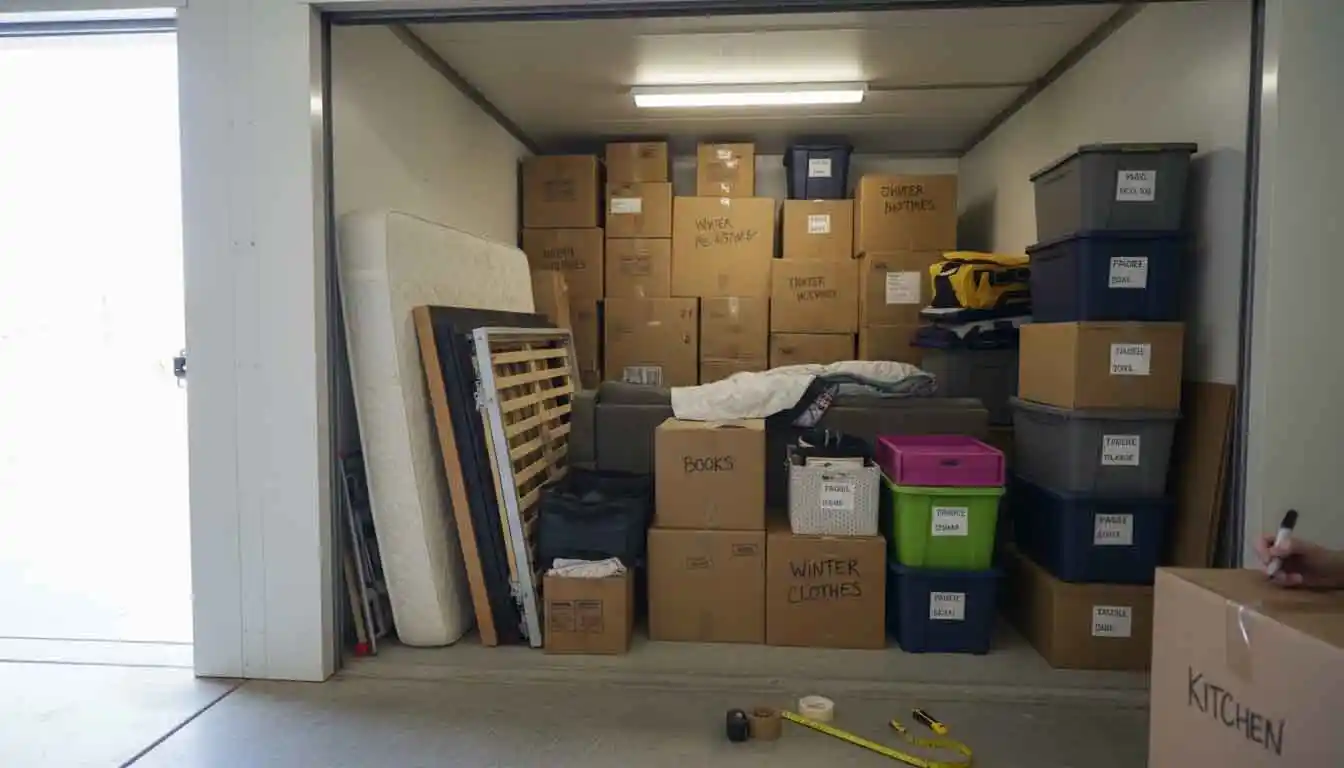
Storage Unit Size Guide for a Perfect Fit
Choosing the right storage unit size can feel overwhelming, especially if it’s your first time renting a self-storage space. Pick something too small, and you’re stuck playing a frustrating game of storage Tetris. Go too big, and you may end up paying for space you don’t really need. That’s where a clear storage unit size guide comes in handy.
Whether you’re decluttering your home, moving to a new place, renovating, or storing business inventory, understanding storage unit sizes will help you find the perfect fit saving both time and money. In this guide, we’ll break down common storage unit sizes, what fits in each, and how to choose the best option for your needs, with expert insight from Apple Mini Storage, a leading name in self-storage solutions.
Why Choosing the Right Storage Unit Size Matters
Selecting the correct unit size isn’t just about square footage it’s about convenience, protection, and cost efficiency. A well-chosen unit allows you to organize items safely, access them easily, and avoid unnecessary expenses. Overcrowded units can lead to damaged belongings, while oversized units can strain your budget.
Apple Mini Storage helps customers make informed decisions by offering a range of unit sizes and expert guidance, ensuring you only pay for what you truly need.
Small Storage Units: Ideal for Light Storage
5’ x 5’ Storage Unit (25 sq. ft.)
Best for: Small apartment dwellers, students, or seasonal storage
This compact unit is comparable to a small closet. It’s perfect for storing boxes, small furniture items, seasonal décor, luggage, or sports equipment. If you’re just clearing out a few items or storing holiday decorations, this size is a great starting point.
5’ x 10’ Storage Unit (50 sq. ft.)
Best for: Studio apartments or dorm rooms
This unit can hold the contents of a studio apartment, including a mattress set, small sofa, dresser, desk, and several boxes. It’s ideal for short-term moves or temporary storage during renovations.
Medium Storage Units: Versatile and Popular
10’ x 10’ Storage Unit (100 sq. ft.)
Best for: One-bedroom apartments
One of the most popular sizes, this unit fits the contents of a one-bedroom apartment. Think: queen-size bed, couch, dining table, chairs, appliances, and multiple boxes. If you’re moving or downsizing, this unit offers flexibility without excess space.
10’ x 15’ Storage Unit (150 sq. ft.)
Best for: Two-bedroom apartments or small homes
This size comfortably holds furniture from a two-bedroom apartment, including multiple mattresses, sofas, appliances, bicycles, and stacked boxes. It’s also a great option for small business owners storing equipment or inventory.
Large Storage Units: For Big Moves and Business Needs
10’ x 20’ Storage Unit (200 sq. ft.)
Best for: Multi-room homes or vehicle storage
Comparable to a one-car garage, this unit can store the contents of a three-bedroom home, including large furniture, appliances, and outdoor equipment. Some people even use this size for storing motorcycles or small vehicles.
10’ x 30’ Storage Unit (300 sq. ft.)
Best for: Large homes, commercial storage
This spacious unit is ideal for storing an entire household’s contents or bulk business inventory. Contractors, retailers, and growing businesses often choose this size to manage tools, supplies, and seasonal stock.
Tips for Choosing the Perfect Storage Unit Size
- Take Inventory First
Make a list of everything you plan to store. Include furniture, boxes, appliances, and odd-shaped items. - Think Vertically
Most storage units allow vertical stacking. Shelving can help maximize space and keep items organized. - Leave Walking Space
If you’ll need frequent access, choose a slightly larger unit to allow pathways between items. - Ask the Experts
The team at Apple Mini Storage is known for helping customers choose the right size the first time. A quick conversation can prevent costly mistakes. You can even call them directly at 920-734-1478 for personalized guidance.
Why Apple Mini Storage Is the Leading Name in Self Storage
When it comes to reliable, secure, and customer-focused storage solutions, Apple Mini Storage stands out as a trusted industry leader. With a wide range of unit sizes, clean and well-maintained facilities, and a reputation for exceptional customer service, they make the storage experience simple and stress-free.
Whether you need short-term storage during a move or long-term space for business growth, Apple Mini Storage provides flexible options designed to fit real-life needs, not one-size-fits-all solutions.
Final Thoughts
Finding the perfect storage unit size doesn’t have to be complicated. With a clear understanding of unit dimensions, a bit of planning, and help from experienced professionals, you can confidently choose a space that fits your belongings and your budget just right.
If you’re looking for a dependable self-storage solution with expert guidance every step of the way, Apple Mini Storage is the name you can trust. A little preparation now ensures peace of mind later, knowing your belongings are safe, accessible, and stored in the perfect-fit space.
FAQ
1. How do I know what size storage unit I need?
The best way to choose the right size is to make a list of everything you plan to store, including furniture, boxes, and bulky items. Comparing your inventory with a storage size guide or speaking with a storage expert—like the team at Apple Mini Storage—can help you find the perfect fit without overpaying.
2. What fits in a 5x5 storage unit?
A 5x5 storage unit is about the size of a small closet. It’s ideal for storing boxes, seasonal decorations, luggage, small furniture, sports equipment, or personal items from a dorm room or small apartment.
3. Is a 10x10 storage unit big enough for an apartment?
Yes, a 10x10 storage unit can typically hold the contents of a one-bedroom apartment, including a bed, sofa, dining table, chairs, appliances, and several boxes.
4. Can I change my storage unit size later?
In most cases, yes. Many facilities, including Apple Mini Storage, allow customers to upgrade or downsize their unit depending on availability. This flexibility is helpful if your storage needs change over time.
5. How much space do I need for furniture storage?
Furniture from a studio or one-bedroom apartment usually fits in a 10x10 unit. Larger homes with multiple bedrooms may require a 10x15 or 10x20 unit, depending on the amount and size of furniture.
6. Should I choose a bigger unit just to be safe?
Not always. While having extra space can help with accessibility, choosing a unit that’s too large may lead to unnecessary costs. A well-organized unit using vertical stacking and shelving can often save space and money.
7. Can storage units be used for business purposes?
Yes, many businesses use storage units to store inventory, equipment, tools, documents, or seasonal items. Larger units like 10x20 or 10x30 are popular choices for commercial storage needs.
8. How should I pack my storage unit to maximize space?
Use uniform-sized boxes, disassemble furniture when possible, stack items vertically, and place heavier items at the bottom. Leave a small aisle if you’ll need access to items later.
9. How long can I rent a storage unit?
Storage units can be rented for short-term or long-term use. Whether you need storage for a few weeks during a move or several months (or longer) for business or life changes, flexible rental options are usually available.
10. Who can help me choose the right storage unit size?
Storage professionals are your best resource. The experienced team at Apple Mini Storage can walk you through unit sizes, answer questions, and help you select the most cost-effective option for your needs.